
 Hot-60%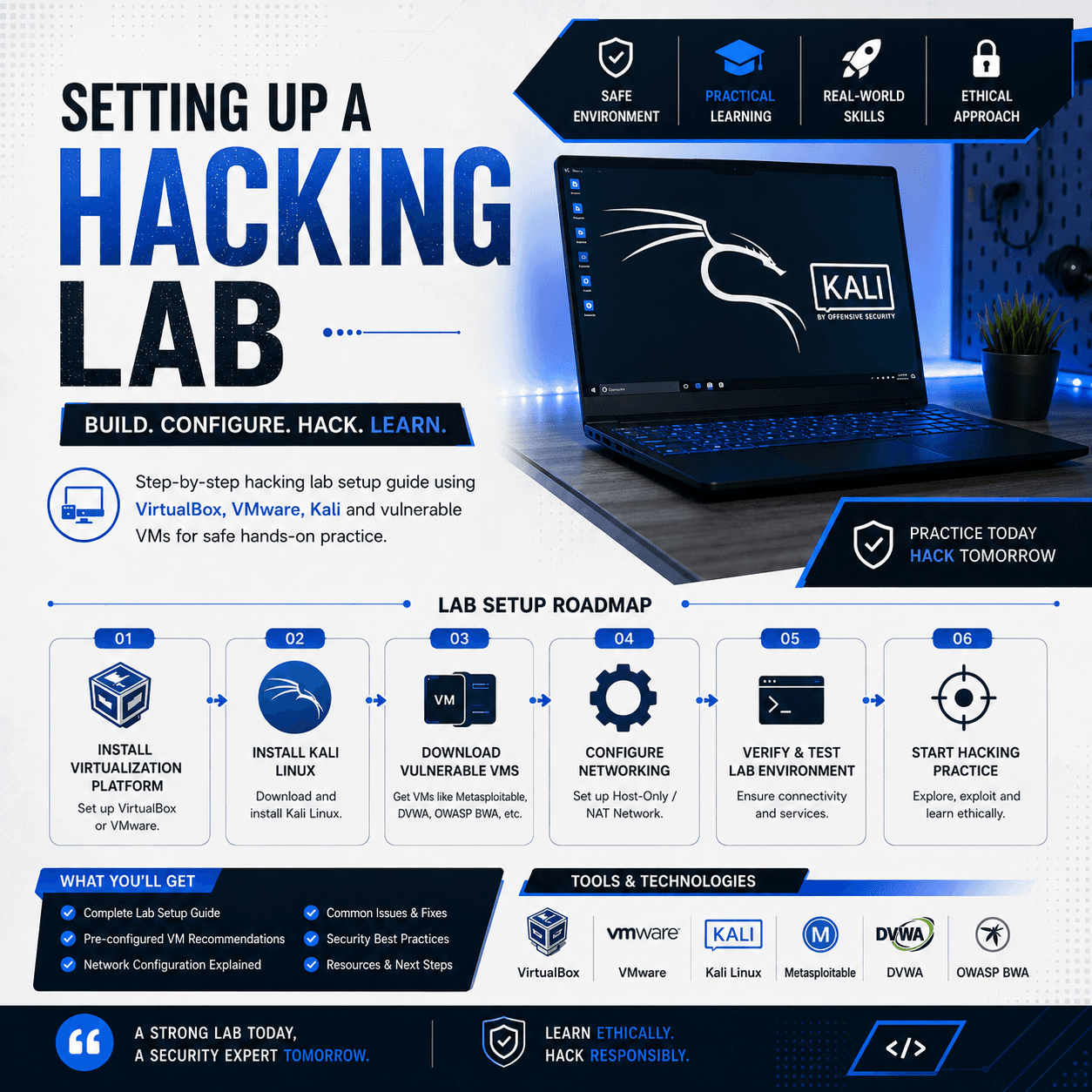
Step-by-step hacking lab setup guide using VirtualBox, VMware, Kali and vulnerable VMs for safe hands-on practice.
Setting Up a Hacking Lab is a practical foundation course that teaches you to build a safe, isolated penetration testing environment at home. You will learn hypervisor selection between VirtualBox and VMware including networking modes NAT, bridged and host-only for proper isolation. The course covers Kali Linux installation, snapshot management, guest additions and essential tool customization for lab use. You will set up vulnerable targets including Metasploitable 2 and 3, DVWA, OWASP WebGoat, Juice Shop and custom Active Directory lab with Windows Server domains. The course teaches network segmentation to keep attack traffic contained and avoid impacting your physical network using host-only adapters. You will learn to configure pfSense firewall lab for routing practice and traffic analysis with SPAN ports. The course includes Kali tool updates, shared folder setup and lab backup strategies with snapshots and cloning. You will learn to troubleshoot common lab issues including virtualization performance, network conflicts and tool dependency problems. The course also covers cloud-based lab alternatives using TryHackMe and HackTheBox integration with your local lab for hybrid learning. By completing this course you will have a professional lab matching industry training environments ready for all EduBazar hacking courses.
After payment, our admin team verifies your UPI transaction and approves your order within a few hours. Once approved, download links and course access appear in your dashboard. All products include lifetime access.
8 hours of HD video. Kali & vulnerable VMs setup. Network isolation guide. Troubleshooting playbook
You get lifetime access. Once purchased, you can study anytime, anywhere on any device.
We accept UPI payments via Google Pay, PhonePe, Paytm, or any UPI app. After payment, enter your transaction ID and our team will verify it within 24 hours.
Yes! You receive a certificate of completion after finishing the course content.
Hot-60% Bestseller-58%
 Bestseller-60%
 -58%
-58%